
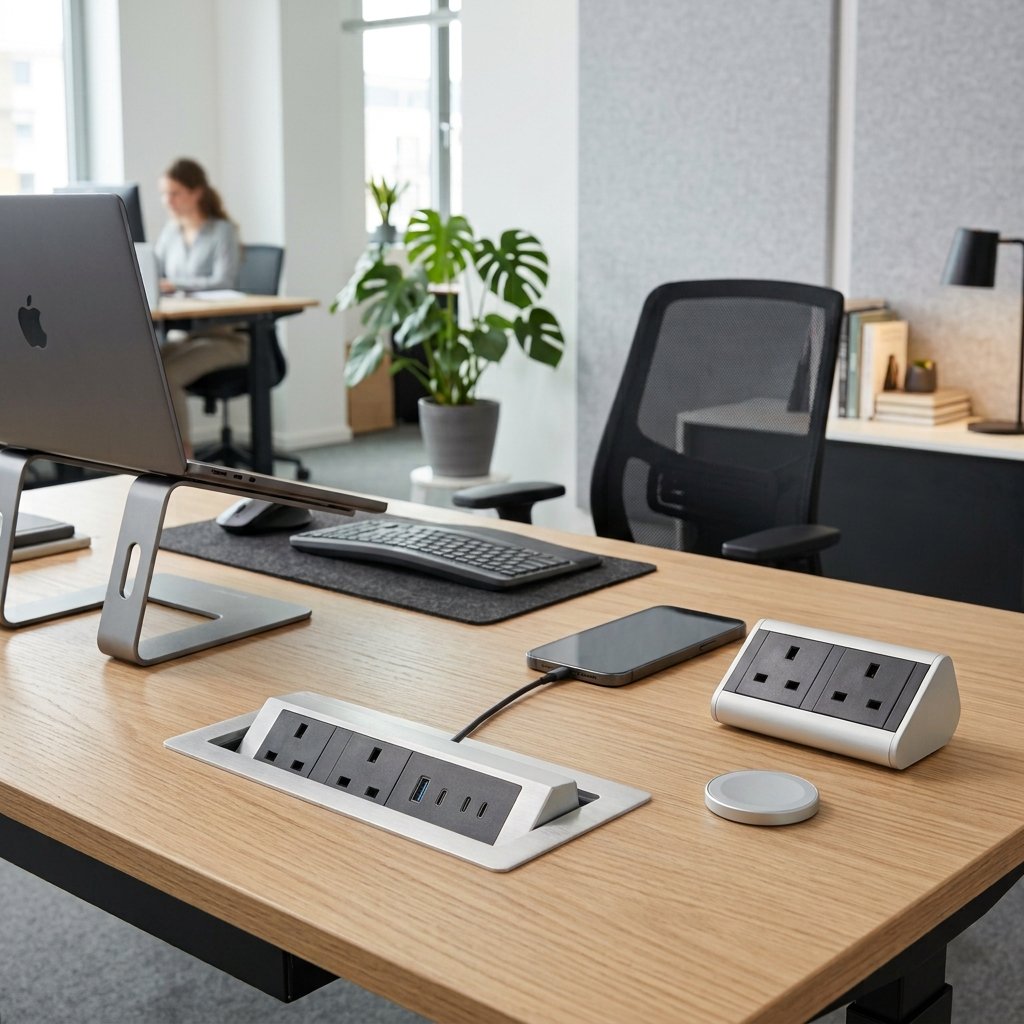
Enhancing Office Ergonomics with Table Pop-Up & Desktop Power Sockets
Modern offices depend on laptops, monitors, docks, phones, and collaboration tools. Yet power access is often an afterthought, forcing employees to reach under desks, stretch across tables, or work around tangled extension leads. Table pop-up sockets and desktop power modules bring electricity, USB charging, and data connections directly to the worksurface—improving comfort, safety, and productivity.
Why Power Access Is an Ergonomic Issue
Ergonomics is not only about chairs and monitor height; it also covers how easily people can use their workspace without awkward postures. When outlets are behind desks or on the floor, users may bend, crawl, or repeatedly reposition devices to charge them. Integrated power access at the workstation removes these unnecessary movements and supports a more natural working posture.
Pop-up and desktop sockets also reduce visual and physical clutter. A tidy desk leaves more usable surface area for documents, keyboards, and secondary screens, while fewer trailing cables mean less interference with seating, footrests, and movement.
Table Pop-Up Sockets: Discreet and Flexible
Table pop-up sockets are installed flush into a desk or conference-table surface and rise only when needed. When closed, they preserve a clean, minimalist tabletop; when opened, they provide convenient access to power and charging ports. They are especially effective in shared and multi-purpose spaces:
- Meeting rooms: Participants can connect laptops without moving furniture or hunting for floor outlets.
- Hot-desking areas: Employees can quickly plug in regardless of where they sit.
- Compact workstations: Retracted units free up valuable desktop space when not in use.
Many models can combine mains sockets with USB-A, USB-C, Ethernet, HDMI, or wireless charging, making them adaptable to changing device needs.
Desktop Power Sockets: Always Accessible
Desktop power modules sit on or are mounted into the worksurface, keeping sockets permanently visible and within easy reach. This makes them ideal for individual desks, reception counters, training rooms, and bench desks where frequent plugging and unplugging is common.
Because users do not need to operate a lifting mechanism, desktop sockets are simple for all staff, including those with limited mobility. Positioned correctly, they allow devices to be connected without stretching behind equipment or disturbing an established workstation setup.
Safety and Cable Management Benefits
Poor cable management can create trip hazards, damage equipment, and make cleaning or maintenance difficult. Integrated sockets, when paired with under-desk cable trays, grommets, and cable channels, keep cords organized and protected.
Key safety advantages include:
- Fewer extension leads crossing walkways.
- Reduced risk of cables being pulled from desks.
- Less dust and spill exposure for retracted pop-up units.
- Better control of overloaded adapters and power strips.
For sit-stand desks, cable slack and routing must be planned so the desk can move freely without straining connections.
Choosing the Right Solution
The best choice depends on how the space is used. Pop-up sockets suit conference tables and shared desks where appearance and surface space matter. Desktop modules suit fixed workstations where constant access is more important than concealment.
When specifying products, facilities teams should consider socket type and local compliance, USB-C charging capacity, data connectivity, durability, ease of maintenance, and compatibility with existing furniture. Placement near the desk edge improves reachability, while recessed installation helps prevent accidental knocks.
A Small Upgrade With a Large Impact
Table pop-up and desktop power sockets are relatively low-cost upgrades compared with full furniture replacements, yet they directly improve everyday ergonomics. By placing power where work happens, offices can create cleaner, safer, and more comfortable environments that help employees focus on their tasks rather than their cables.


